Overview

A lot of people around the world have dyslexia, ADHD, or other neurodivergences. I'm one of them—I have dyslexia. I want to make an app that helps dyslexic people have an easier experience while reading, so they can enjoy books, articles, and even long social media posts. This app will also help them in other aspects of life.

🦸 My role in the project: is UX/UI designer. I conduct user research, create wireframes, and develop prototypes.
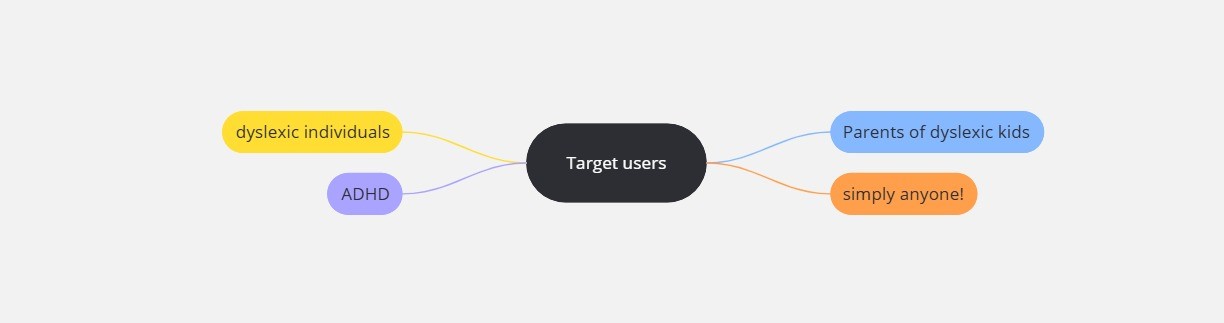
target users

Challenges

  1. Make an app with less cognitive load, and easy to use.
  2. Provide multiple solutions for the user to choose from.
  3. Make the UI less irritating to the target users, and allow customization


Research Phase

  1. Primary: Worked with dyslexic communities (Made By Dyslexic, International Dyslexia Association) to understand their needs.
  2. Secondary: Surveyed 200+ people on r/Dyslexia to identify key pain points in event apps

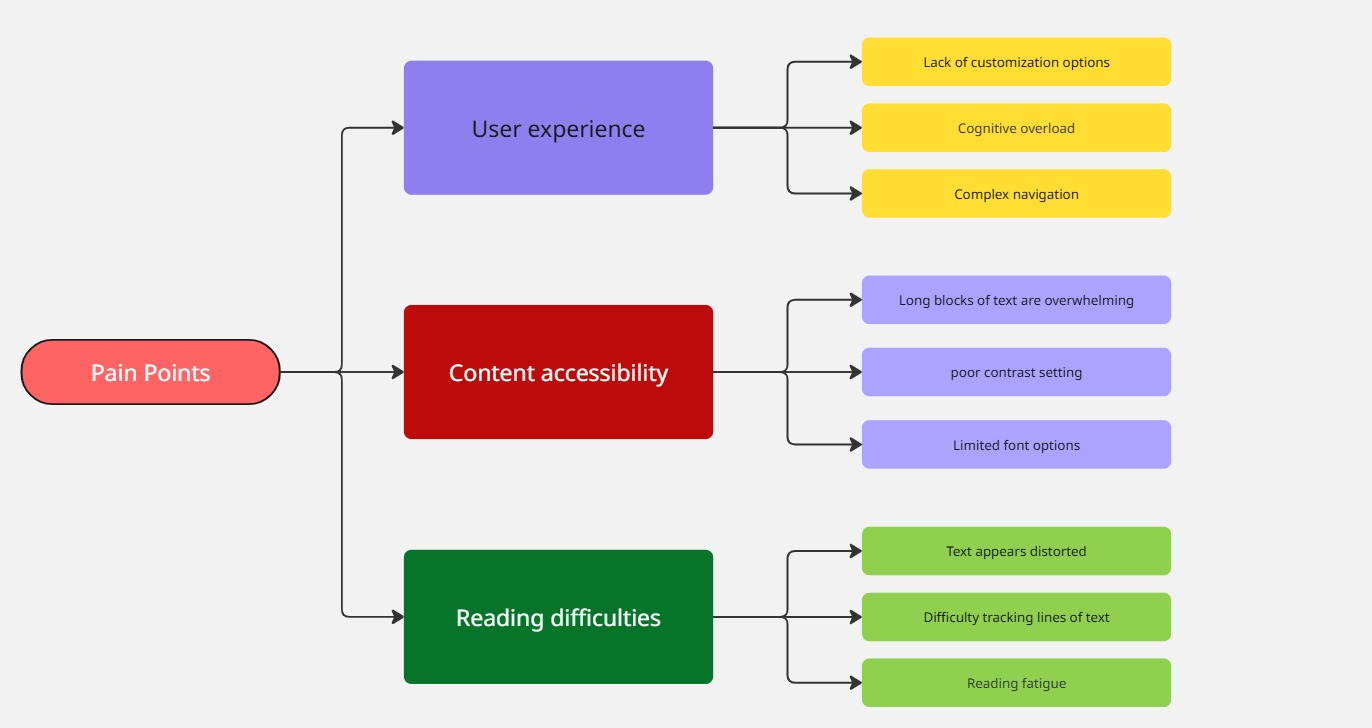
Pain Points

pain points

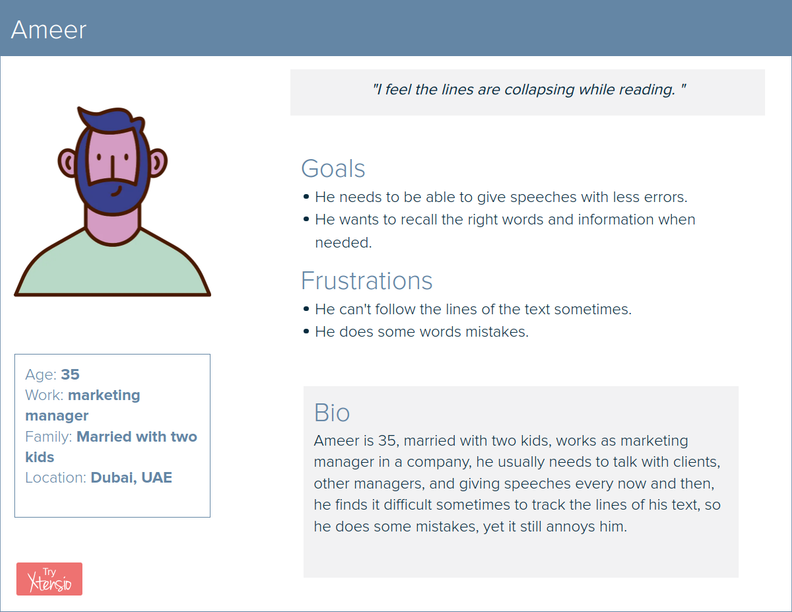
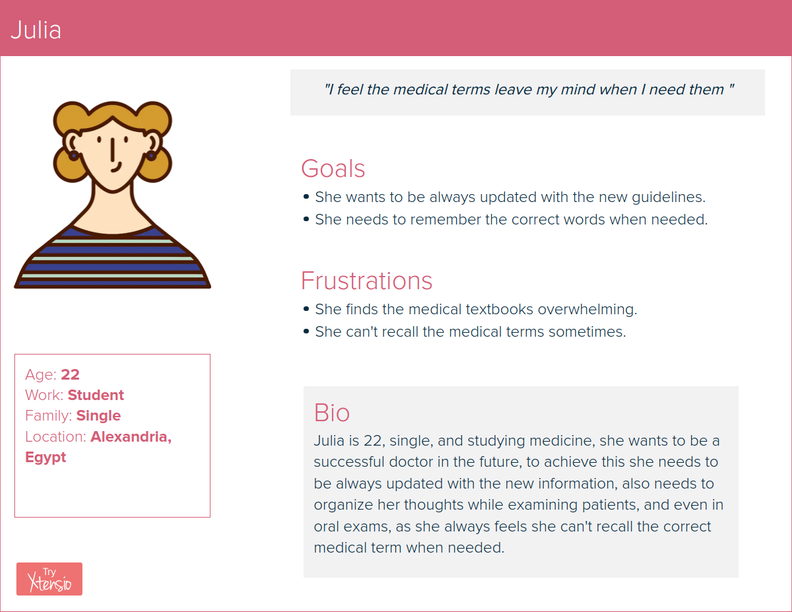
Persona

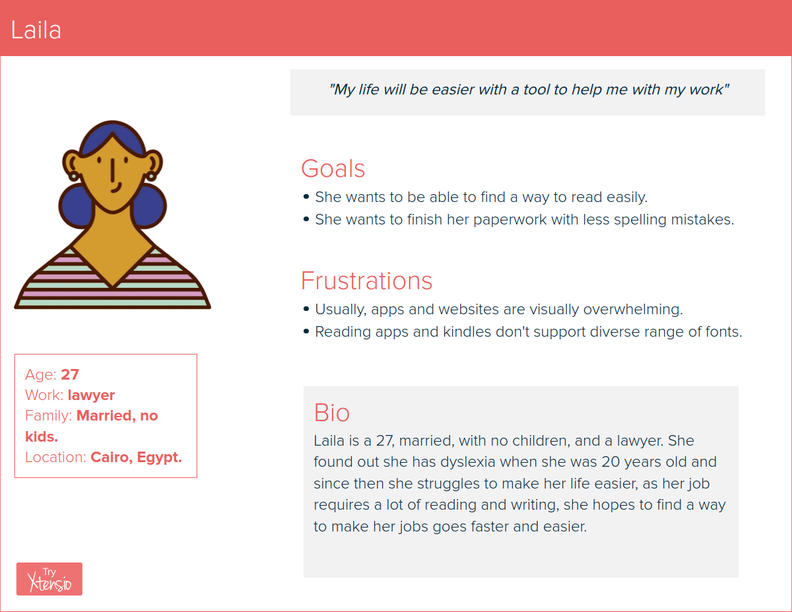
Ameer persona Julia persona Laila persona Mona persona

Problem Statement

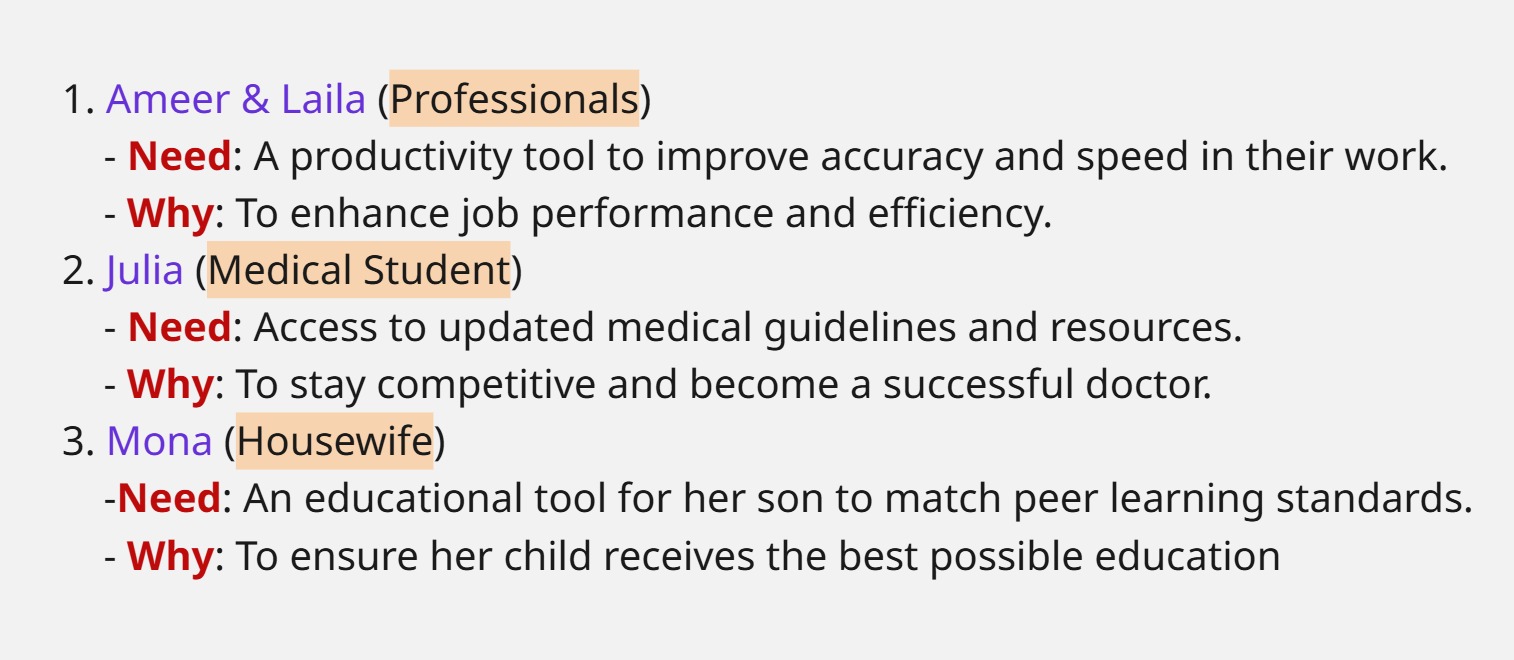
problem statement

User Journey

user journey 1 user journey 2 user journey 3

Ideation

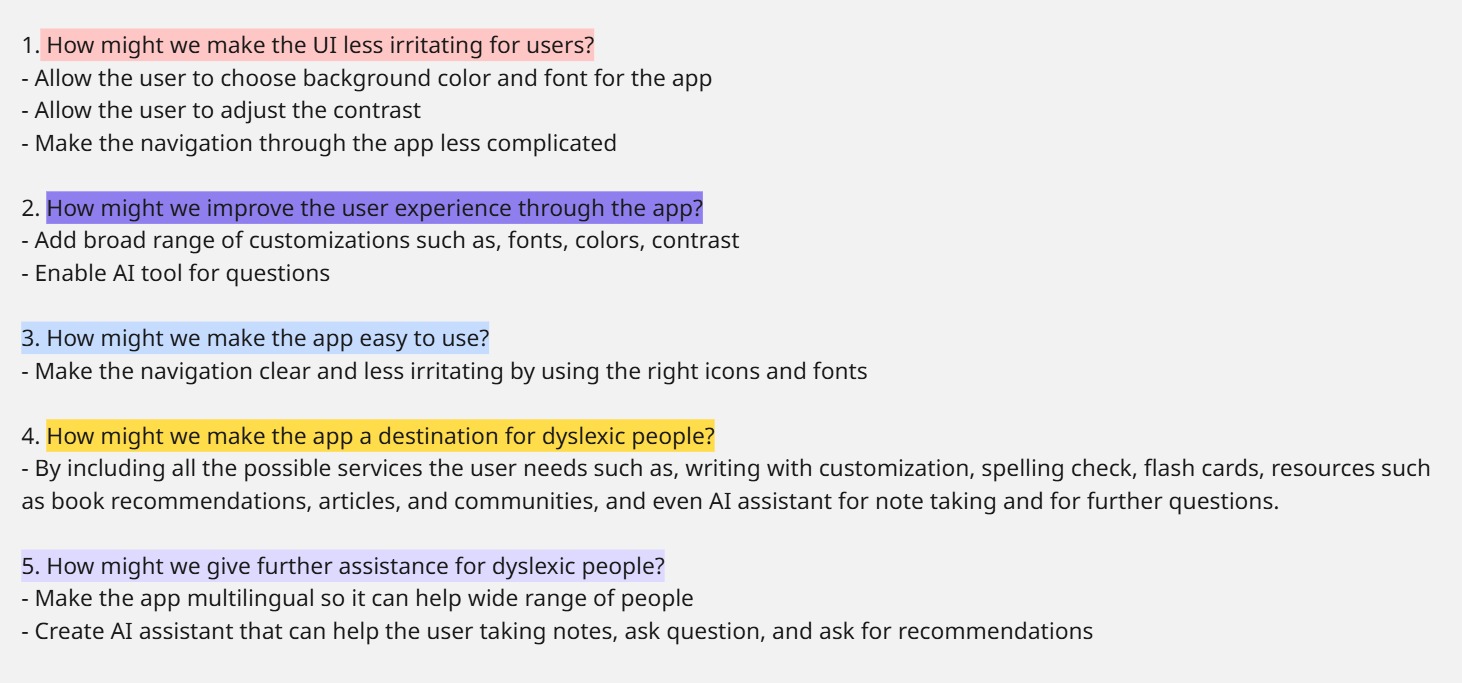
ideation

User flow

user flow

Information Architecture

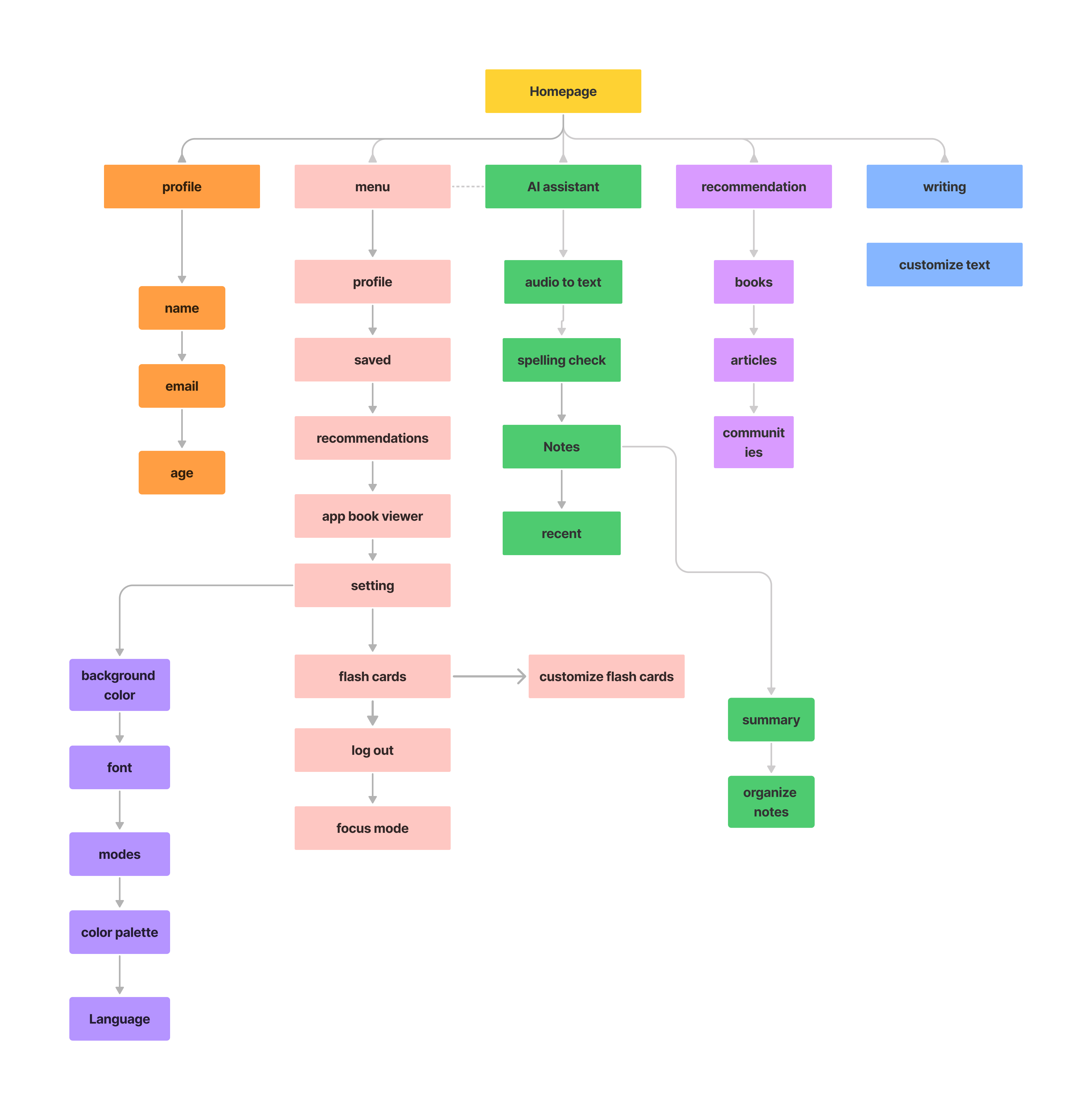
information architecture

Design

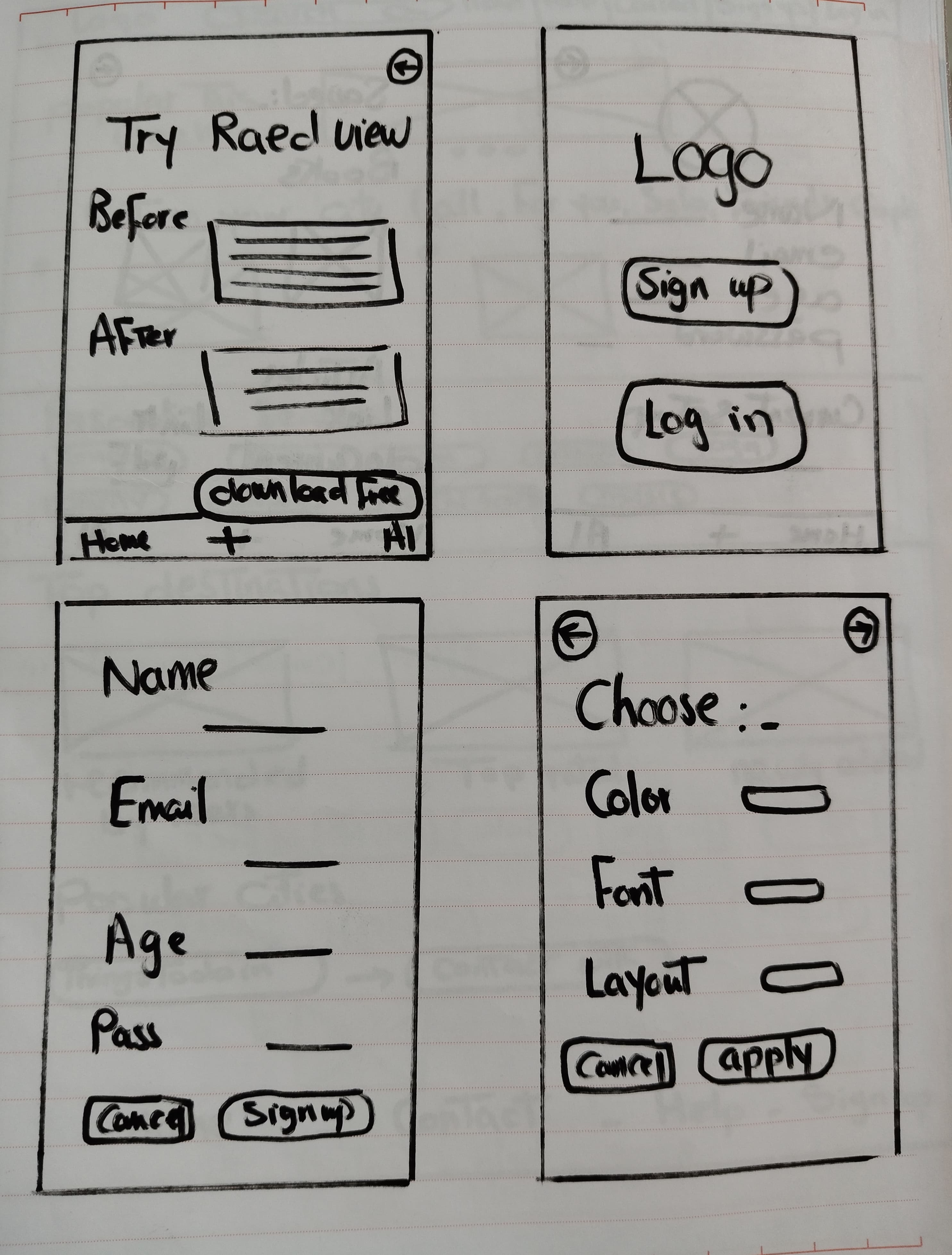
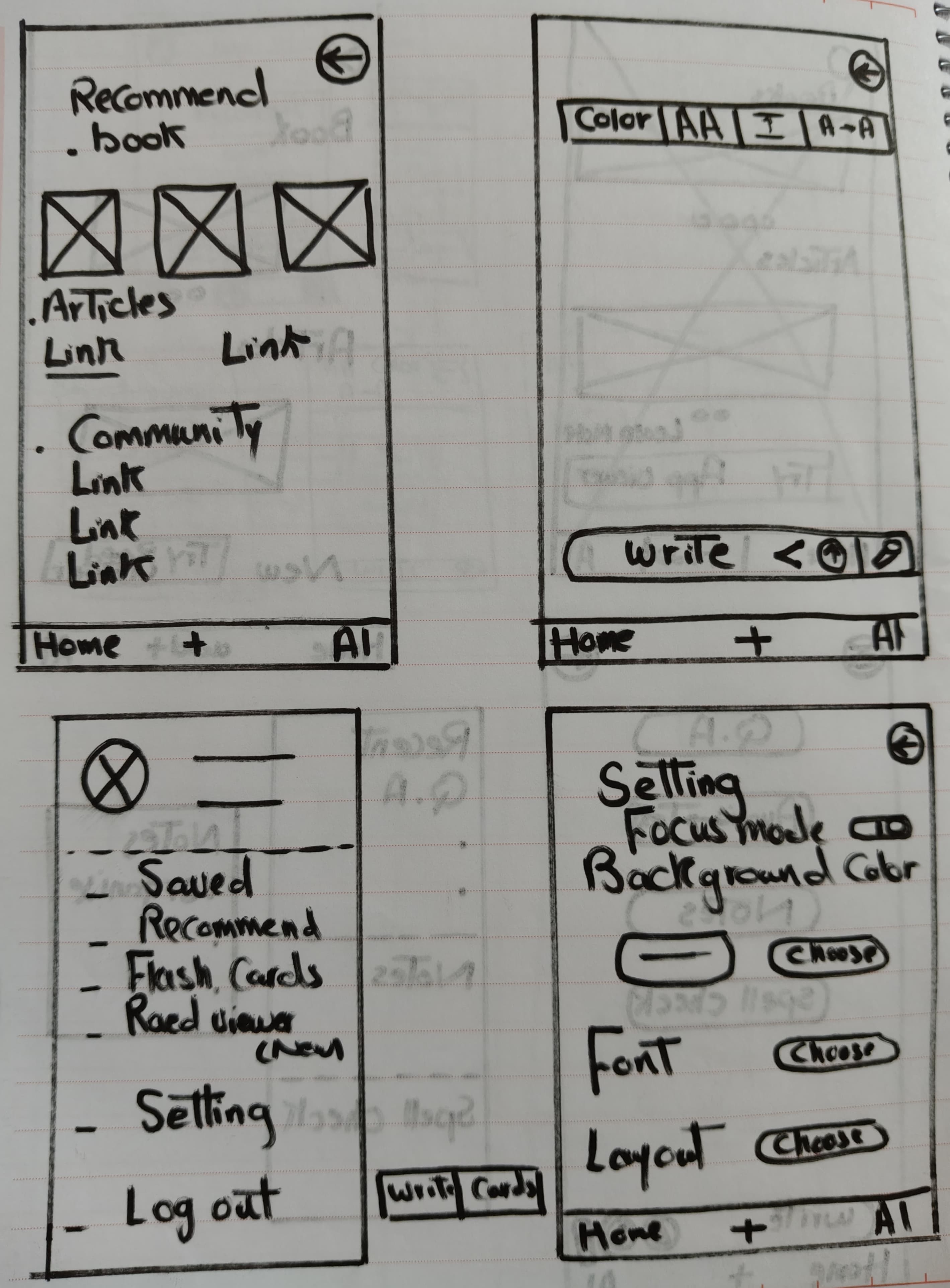
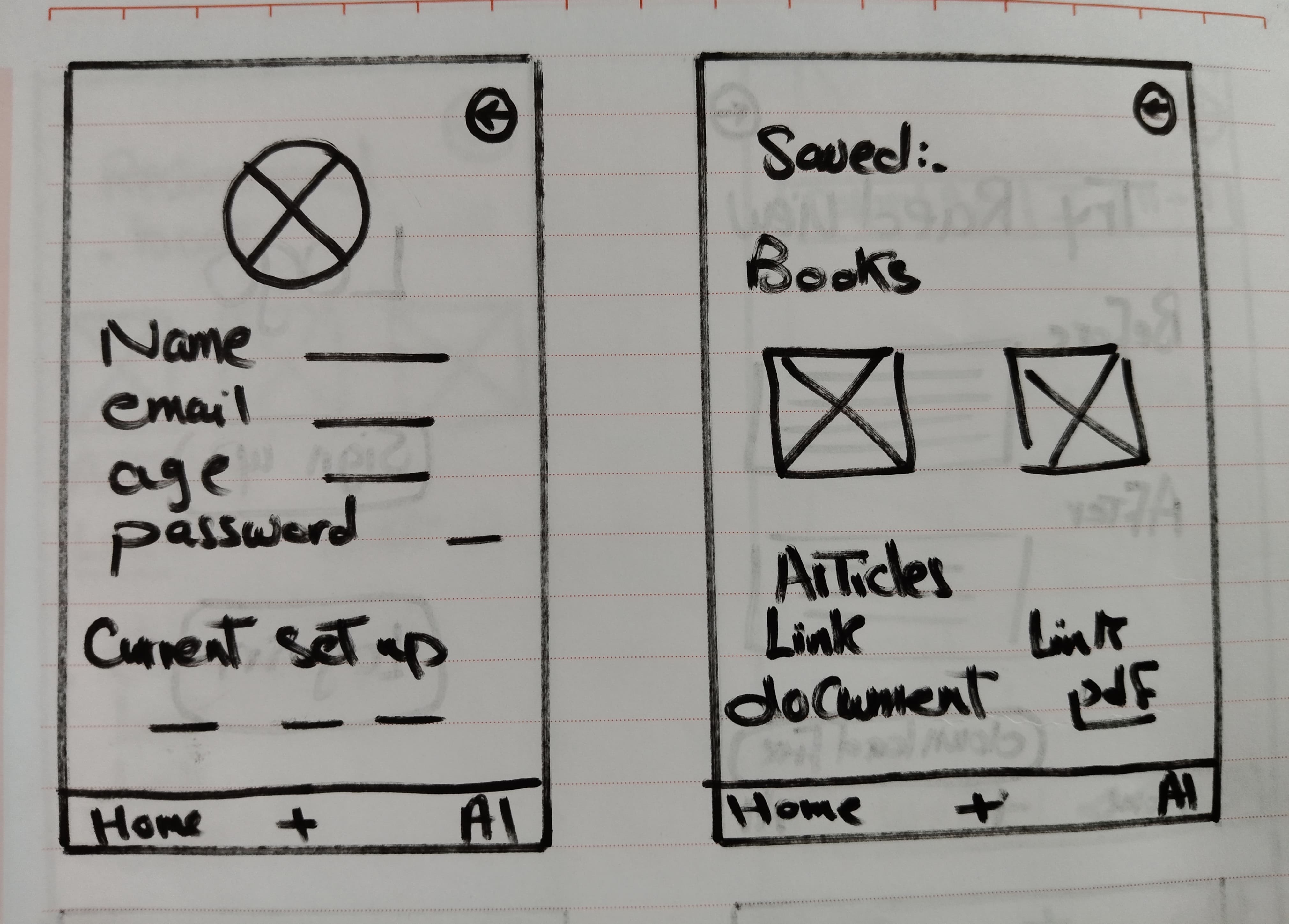
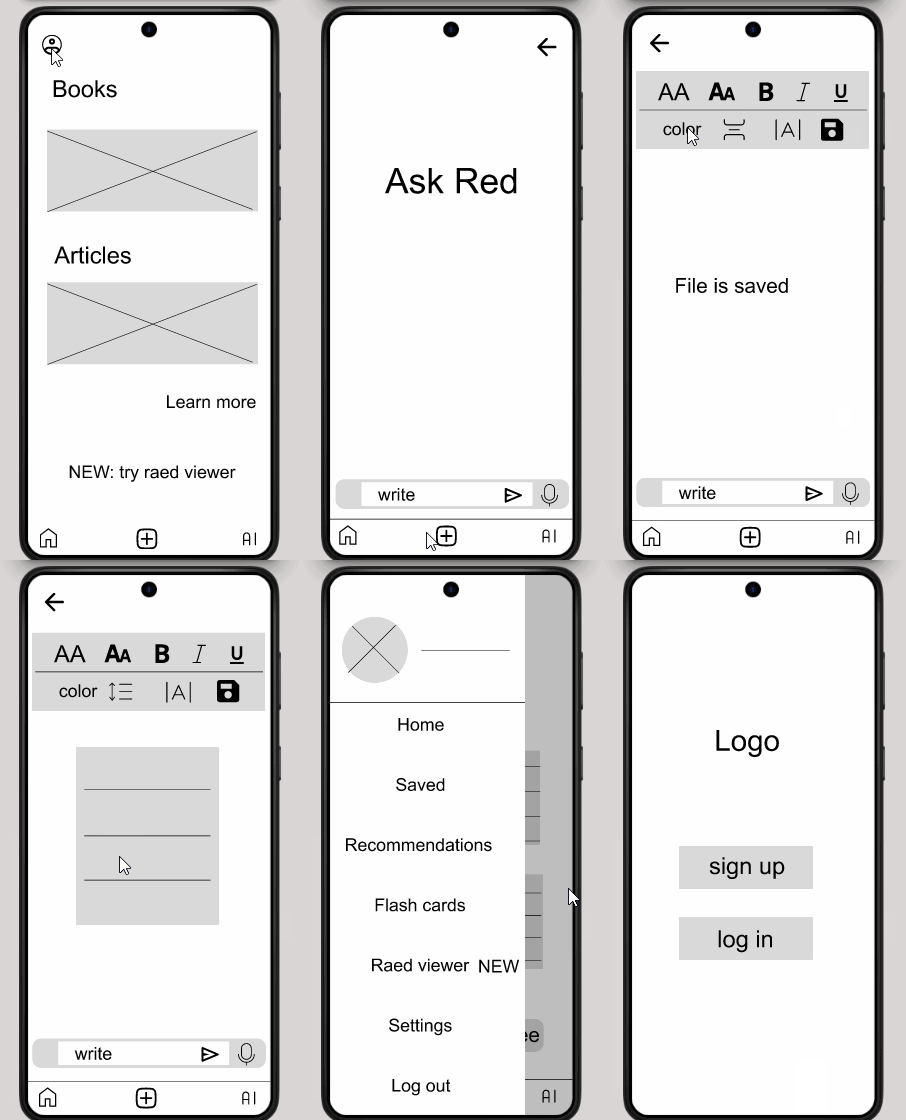
Paper wireframes

paper wireframe1 paper wireframe2 paper wireframe3 paper wireframe4 paper wireframe5

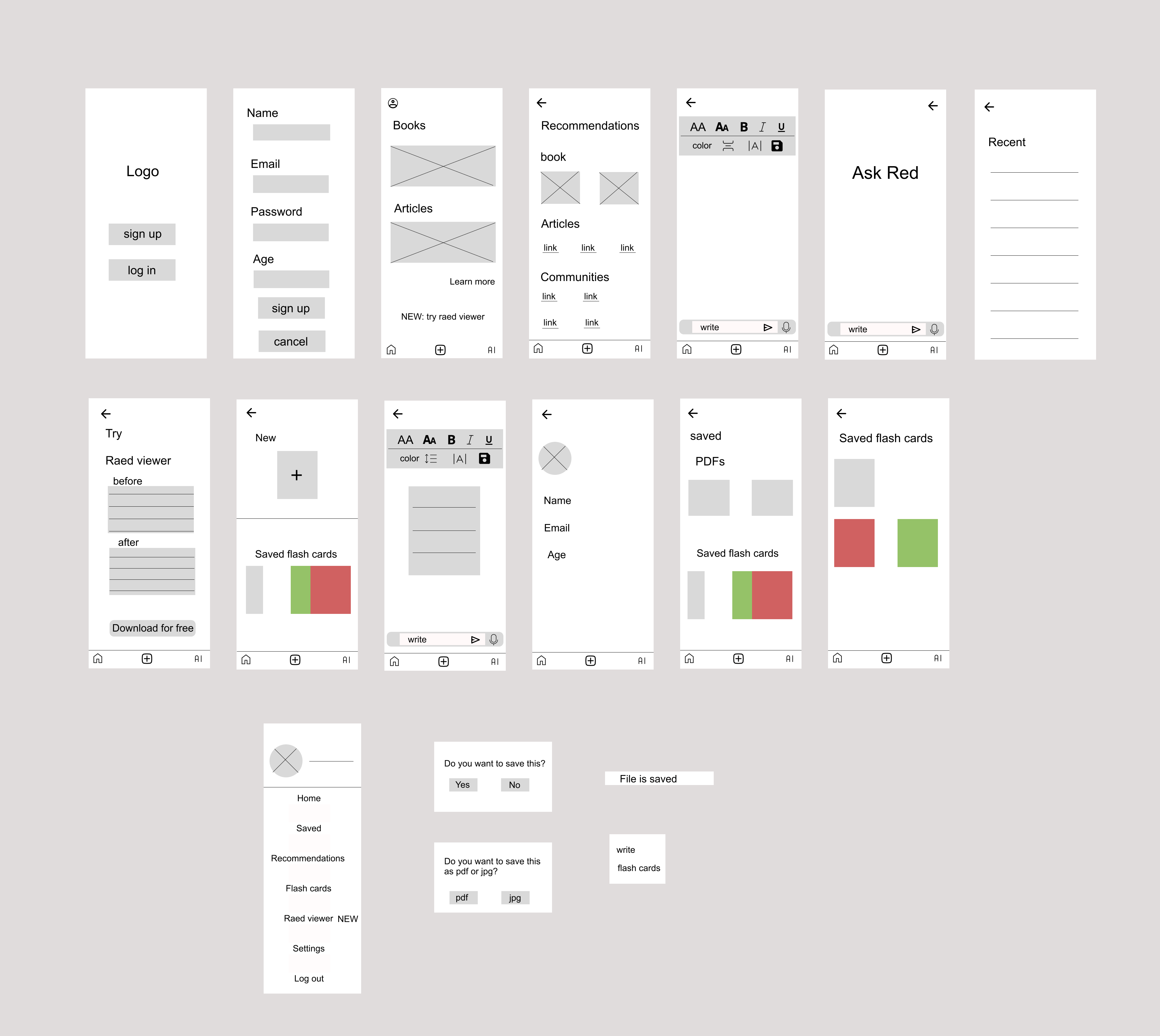
Digital wireframes

digital wireframe1

Low fidelity prototype

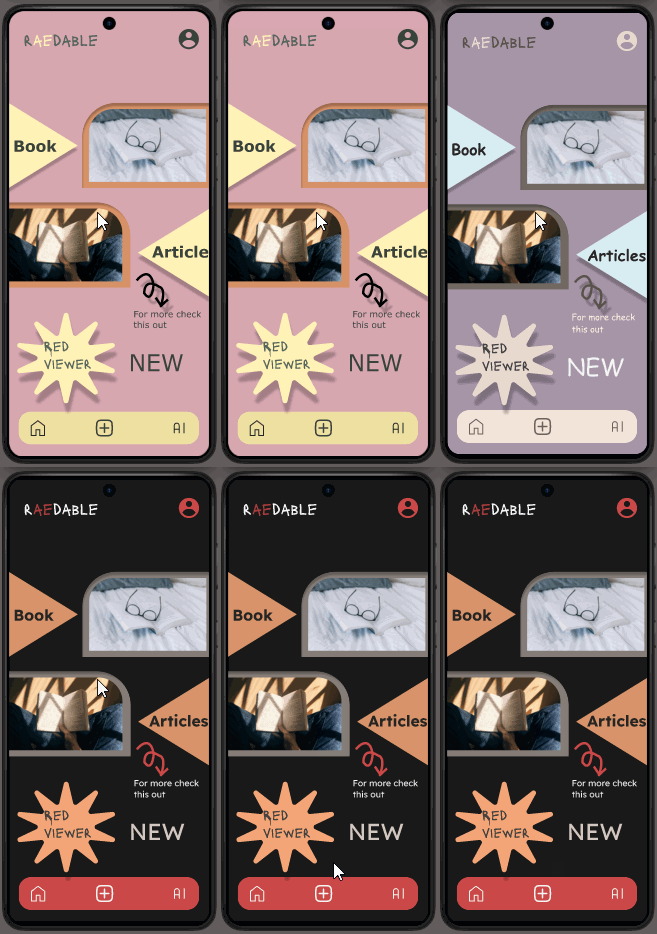
Mockups

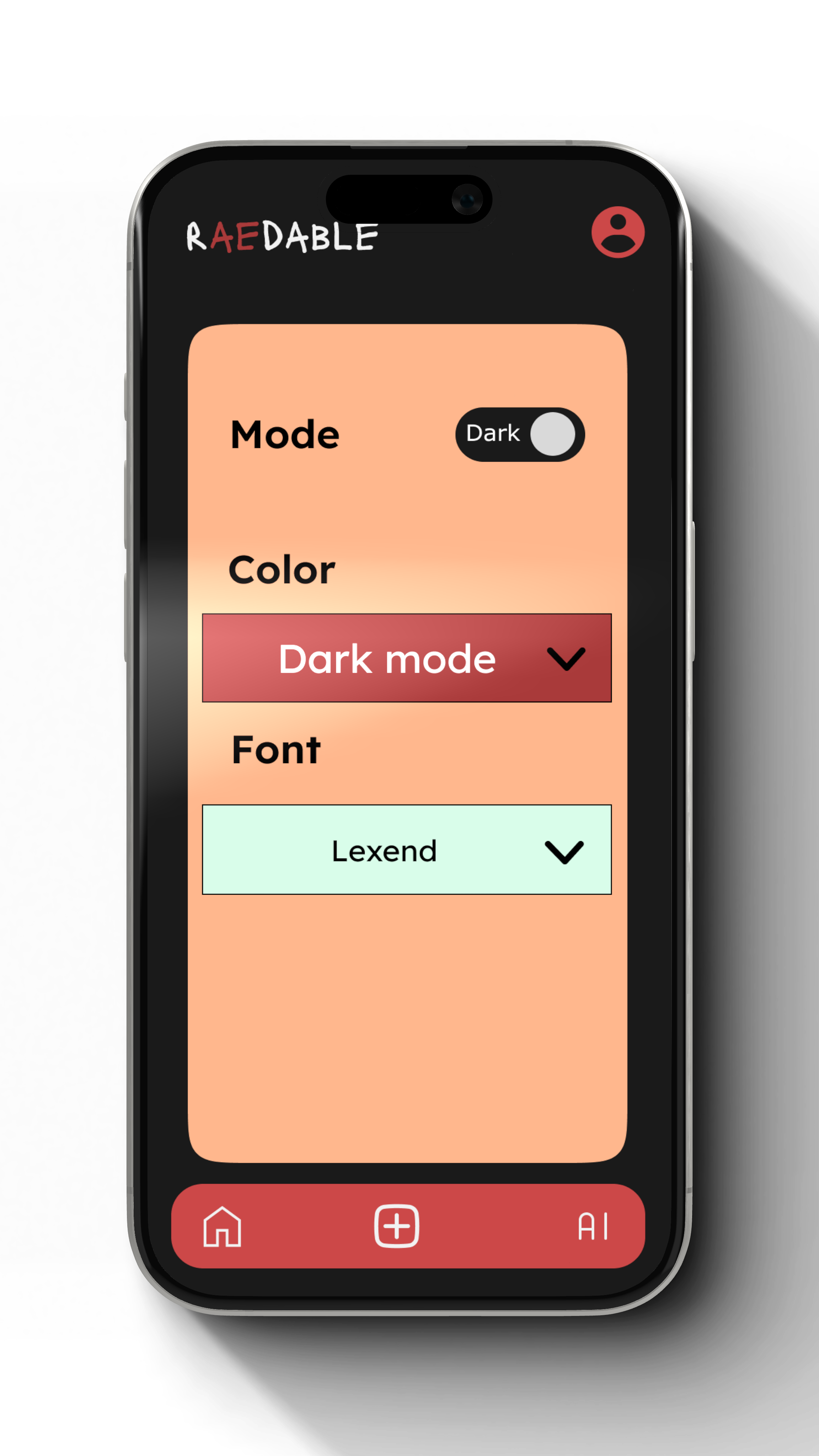
1-How might we make the UI less irritating for users?

  • Allow the user to choose background color and font for the app
  • Allow the user to adjust the contrast
  • Make the navigation through the app less complicated

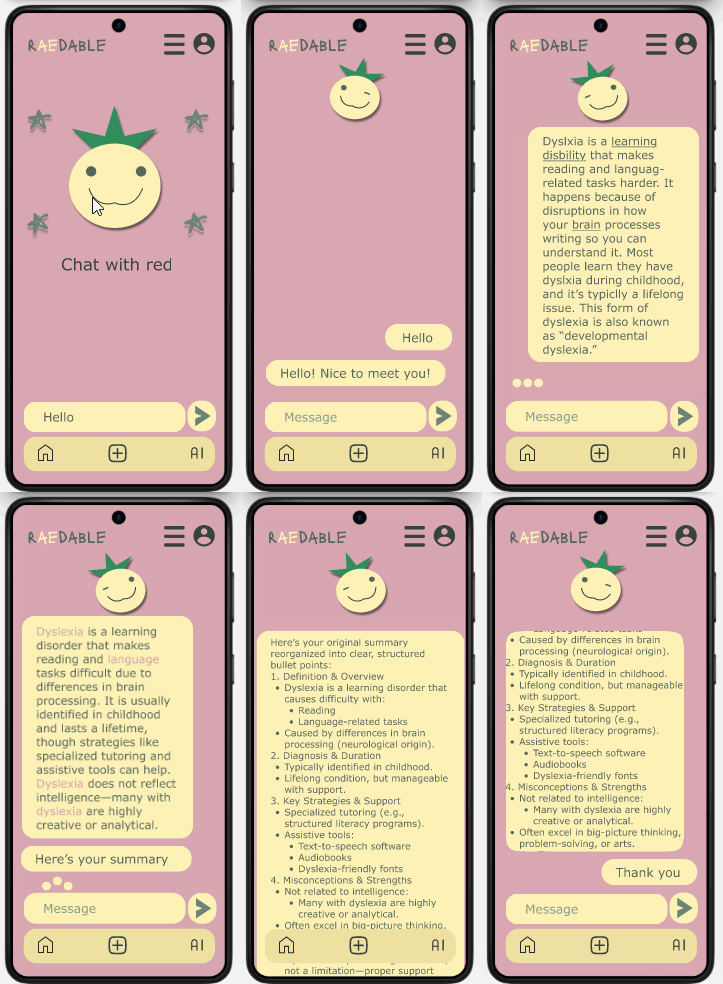
2-How might we improve the user experience through the app?

3-How might we make the app easy to use?

4-How might we make the app a destination for dyslexic people?

5-How might we give further assistance for dyslexic people?

language

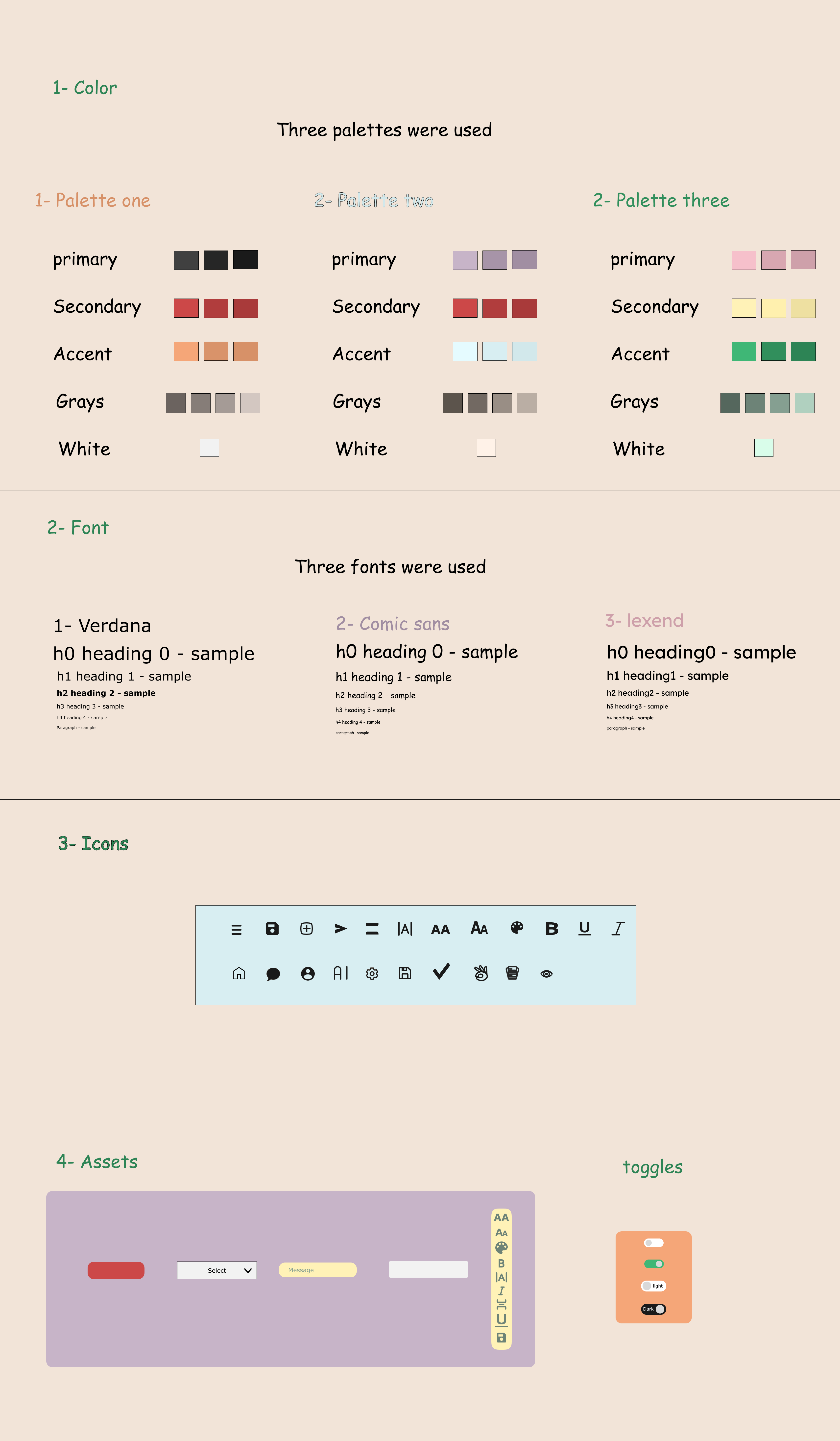
Design system

design system
🎁 For the whole prototype click here

Usability testing

1-Goals of testing

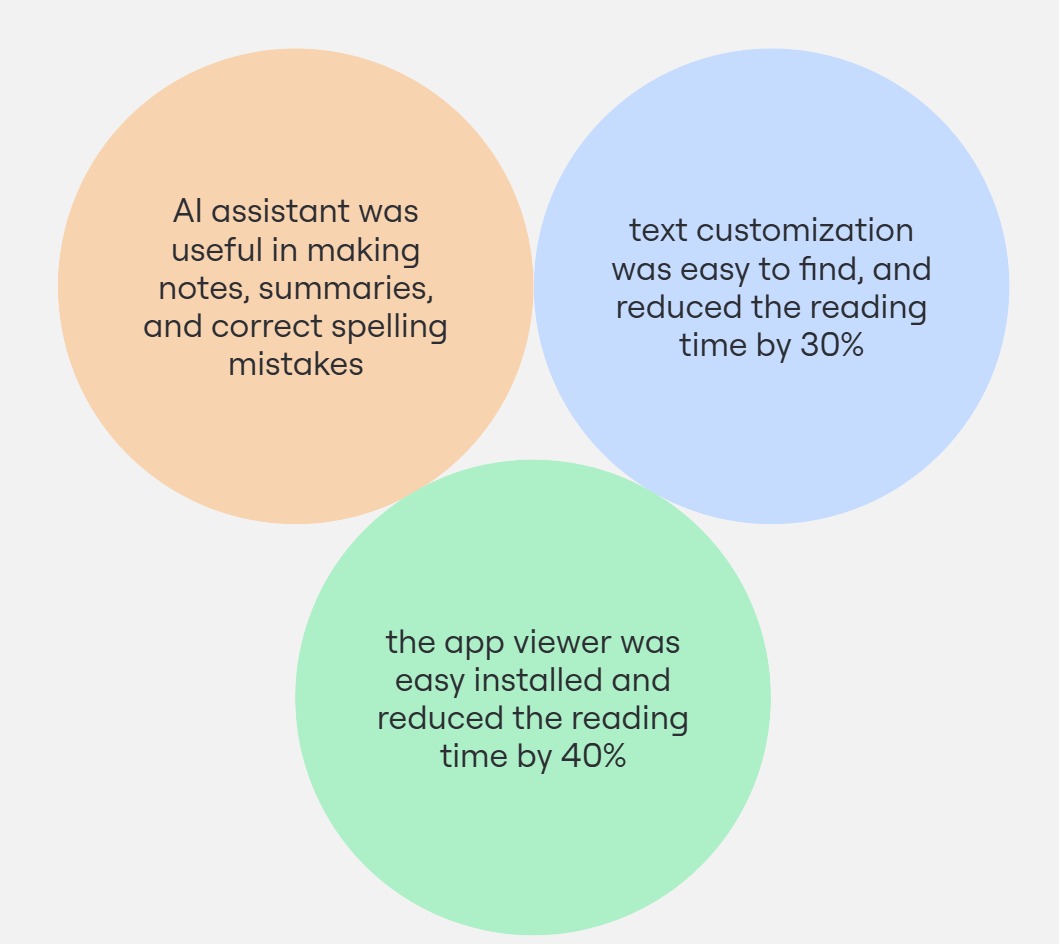
  1. Evaluate if the AI assistant helpful to the user or not
  2. The ease of the discoverability of the writing section and the customization bar
  3. Evaluate if the app text viewer reduces the reading time or not

2-Methodology

The wizard of oz method

Advantage of the wizard of oz method

3-Method of testing:

Figma

4-Insights

insights

Next steps

  1.  Handoff & Final Utility Testing
    • Developer Brief: Create a checklist of core features (e.g., font/contrast customization, dyslexia mode) with clear specs.
    • Pre-Launch Test: Recruit 10-20 dyslexic users to validate usability one last time before full build.
    • Success Metric: 90% of testers complete key tasks (e.g., changing fonts, using text-to-speech) without help.
  2. Audio-to-Text Feature
    • MVP Version:
      • Record voice → auto-transcribe notes (with punctuation).
      • Save as text/audio files.
    • Future Upgrade:
      • Edit transcripts by voice (“Fix the third sentence”).
  3. Specialist Consultations
    • Pilot Program: Partner with 2-3 dyslexia experts (e.g., tutors, therapists) to offer:
      • 15-min free chats for app users.
      • Paid 1:1 sessions (app takes 10% fee).
    • Marketing Hook: “Get expert help inside Raedable.”

Conclusion

Why This Project Matters

As someone with dyslexia, I understand firsthand how exhausting reading and writing can be. That’s why Raedable isn’t just another app—it’s the tool I wish I’d had my whole life.

What Makes Raedable Essential:

I’m not just building this; **I’ll be its first user**. Every update will be tested against one question: *“Does this actually make my life easier?”*

This is just the start.